

Concepts
This app requires calendar interaction based on user instructions — an ideal use case for an agent with function (tool) calling capabilities. LangChain provides extensive agent support, and its companion tool LangSmith makes monitoring integration straightforward. A tool refers to any framework, utility, or system with defined functionality for specific use cases, such as searching Google or retrieving credit card transactions. Key LangChain concepts:ChatModel.bind_tools(): Attaches tool definitions to model calls. While providers have different tool definition formats, LangChain provides a standard interface for versatility. Accepts tool definitions as dictionaries, Pydantic classes, LangChain tools, or functions, telling the LLM how to use each tool.
AIMessage.tool_calls: An attribute on AIMessage that provides easy access to model-initiated tool calls, specifying invocations in the bind_tools format:
create_tool_calling_agent(): Unifies the above concepts to work across different provider formats, enabling easy model switching.
Setup Cal.com
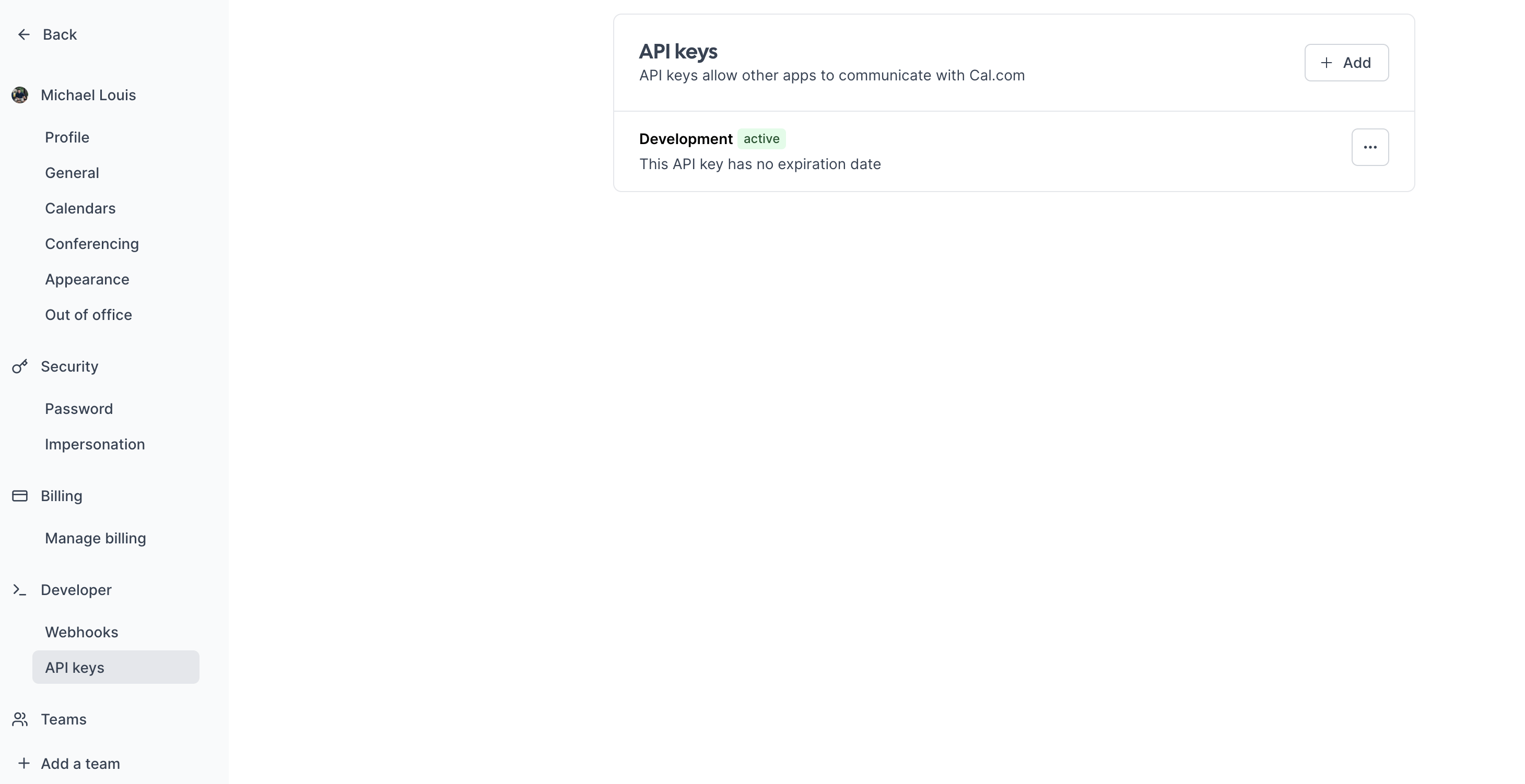
Cal.com provides the calendar management foundation. Create an account here if needed. Cal serves as the source of truth — updates to time zones or working hours automatically reflect in the assistant’s responses. After creating your account:- Navigate to “API keys” in the sidebar
- Create an API key without expiration
- Test the setup with a CURL request (replace these variables):
- Username
- API key
- dateFrom and dateTo
- /availability: Get your availability
- /bookings: Book a slot
Cerebrium setup
Set up Cerebrium:- Sign up here
- Follow installation docs here
- Create a starter project:
This creates:
main.py: Entrypoint filecerebrium.toml: Build and environment configuration
cerebrium.toml:
- OpenAI GPT-3.5:
-
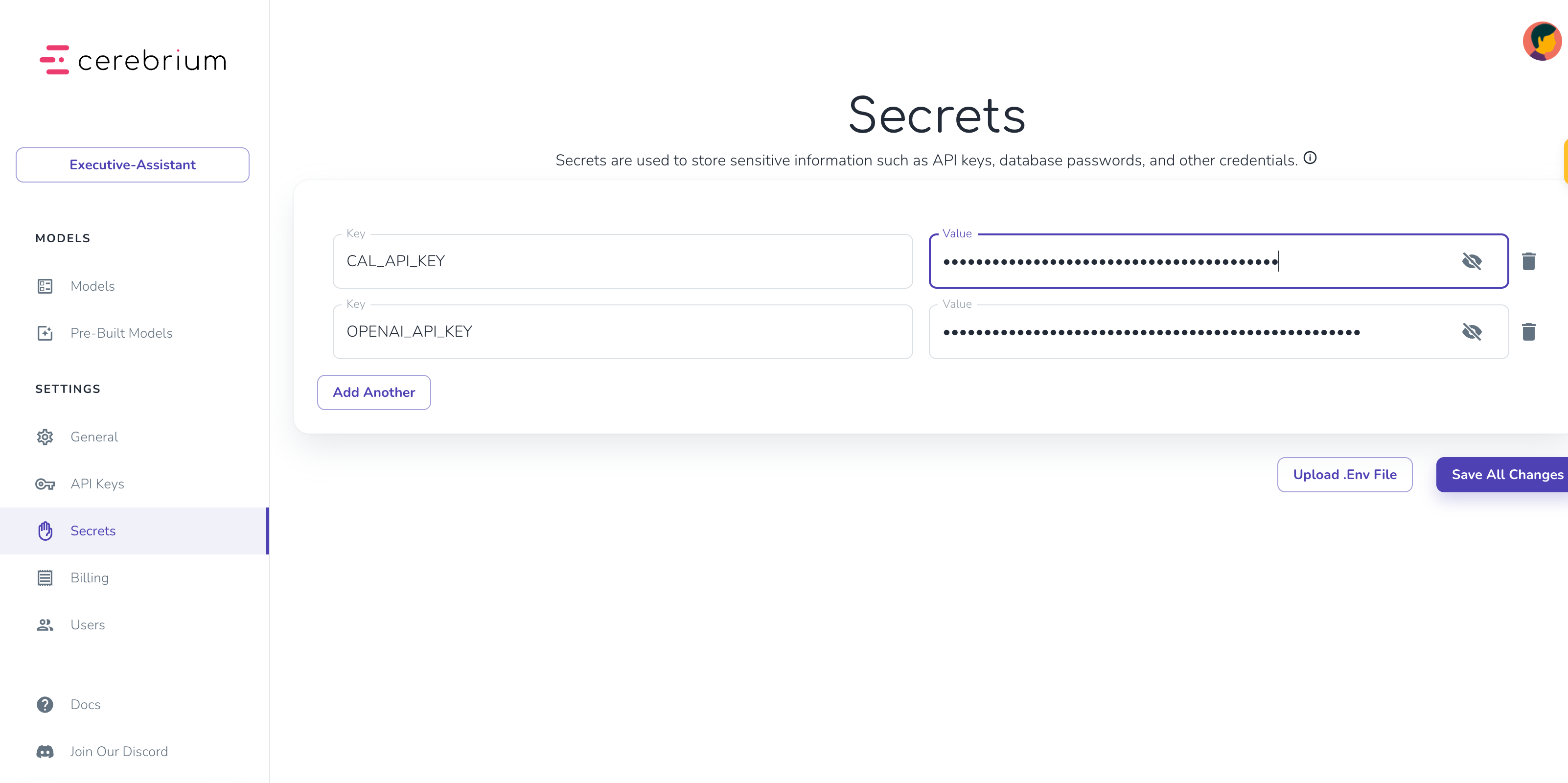
Add secrets in Cerebrium dashboard:
- Navigate to “Secrets”
- Add keys:
CAL_API_KEY: Your Cal.com API keyOPENAI_API_KEY: Your OpenAI API key
Agent Setup
Create two tool functions inmain.py for calendar management:
- Get availability tool
- Book slot tool
- Busy time slots
- Working hours per day
- Uses
@tooldecorator to identify functions as LangChain tools - Includes docstrings explaining functionality and required inputs
- Uses
find_available_slotshelper function to format Cal.com API responses into readable time slots
main.py:
- The prompt template:
- Defines the agent’s role, goals, and situational behavior. More precise instructions yield better results.
- Chat History stores previous messages for conversation context.
- Input receives new input from the end user.
- The GPT-3.5 model serves as the LLM. Swap to Anthropic or any other provider by replacing this one line — LangChain makes this seamless.
- Finally, these components combine with the tools to create an agent executor.
Setup Chatbot
The above code only handles a single question. A multi-turn conversation is needed to find a mutually suitable time. LangChain’s RunnableWithMessageHistory() adds tool calling capabilities and message memory. It stores previous replies in the chat_history variable (from the prompt template) and ties them to a session identifier, so the API remembers information per user/session:- Defines a Pydantic object specifying the expected API parameters — user prompt and session ID.
- The predict function (Cerebrium’s API entry point) passes the prompt and session ID to the agent and returns results.
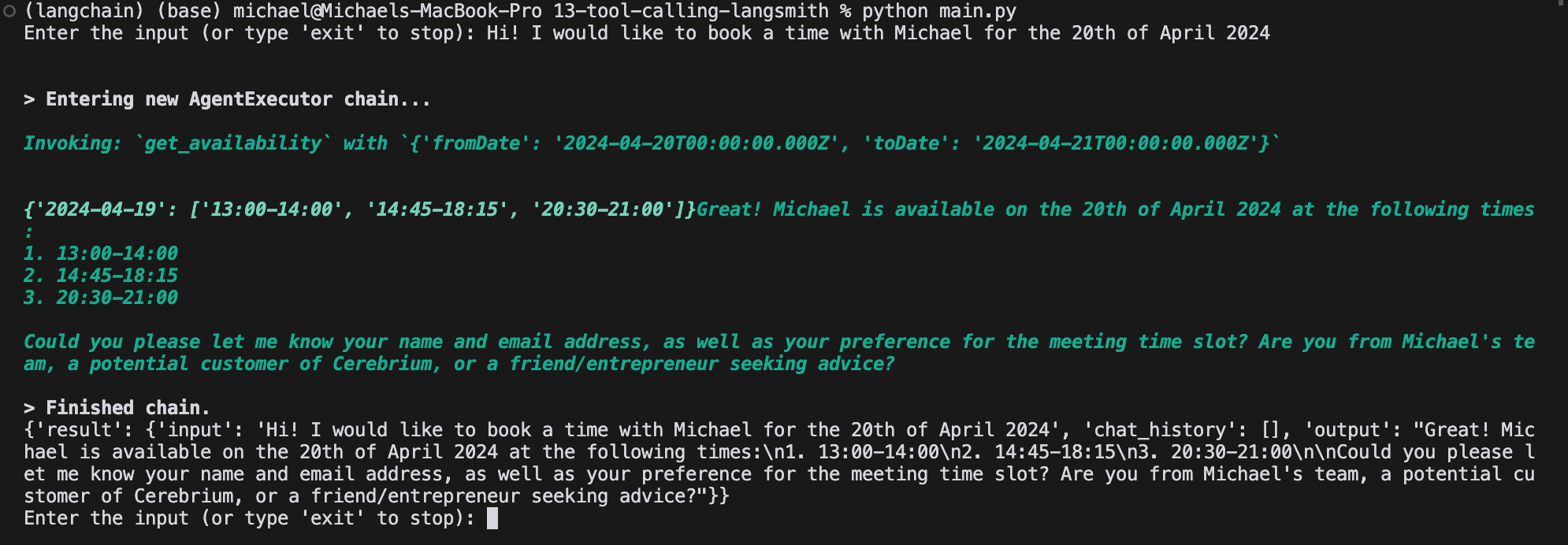
pip install pydantic langchain pytz openai langchain_openai langchain-community, then run python main.py. Replace secrets with actual values when running locally. Output looks similar to:
Integrate Langsmith
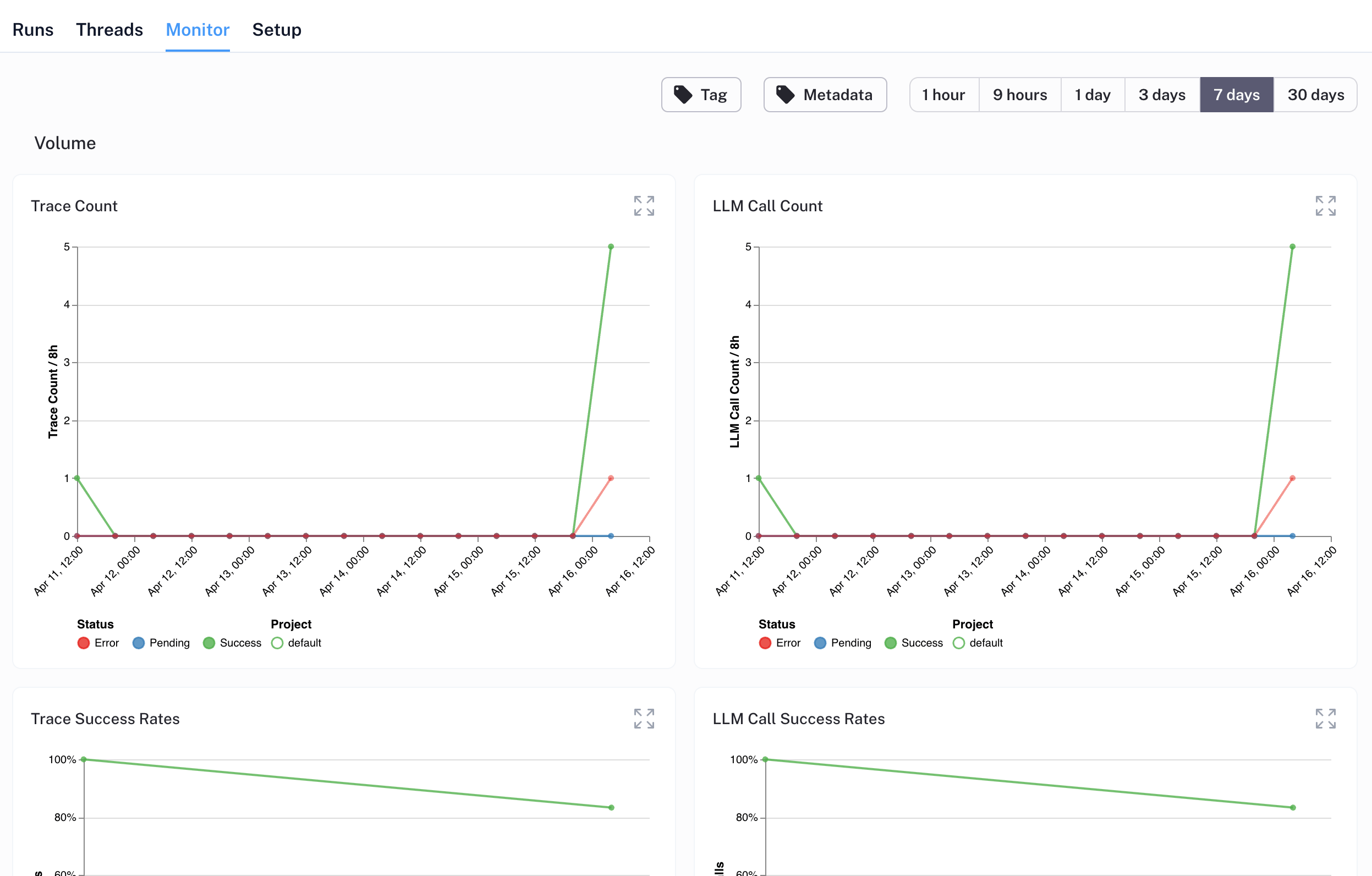
Production monitoring is crucial for agent applications with nondeterministic workflows. LangSmith, a LangChain tool for logging, debugging, and monitoring, tracks performance and surfaces edge cases. Learn more here. Set up LangSmith monitoring:- Add LangSmith to
cerebrium.tomldependencies - Create a free LangSmith account here
- Generate API key (click gear icon in bottom left)
@traceable decorator to functions. LangSmith automatically tracks tool invocations and OpenAI responses through function traversal. Add the decorator to the predict function and any independently instantiated functions:
python main.py and test booking an appointment.
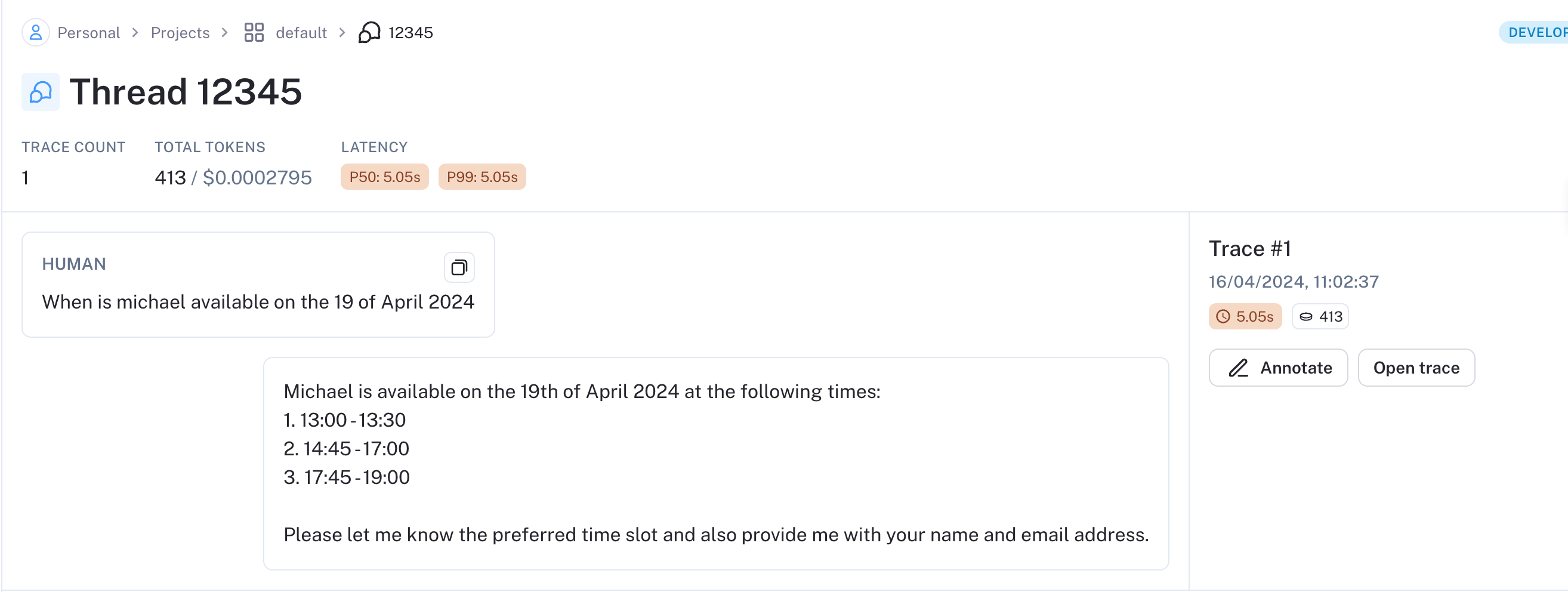
After a successful test run, data populates in LangSmith:
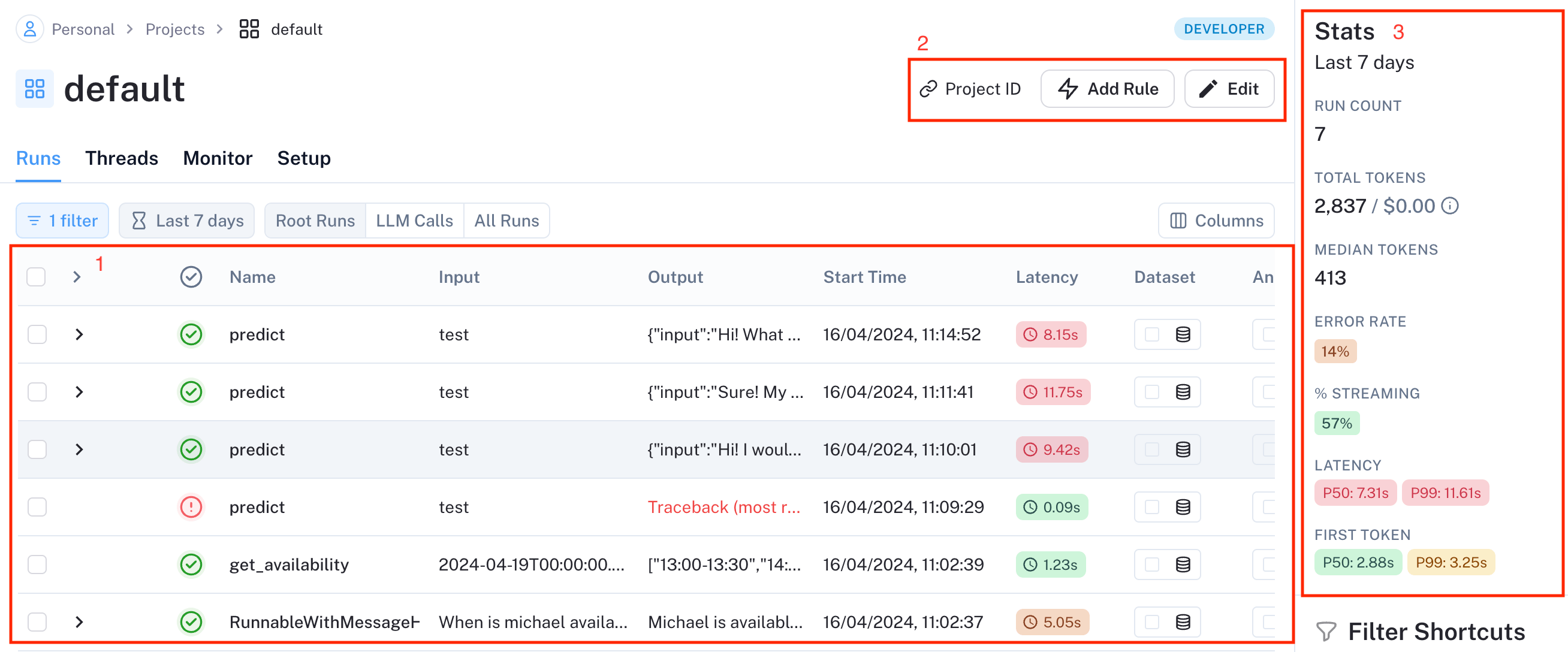
- Data annotation for positive/negative case labeling
- Dataset creation for model training
- Online LLM-based evaluation (rudeness, topic analysis)
- Webhook endpoint triggers
- Additional features
Deploy to Cerebrium
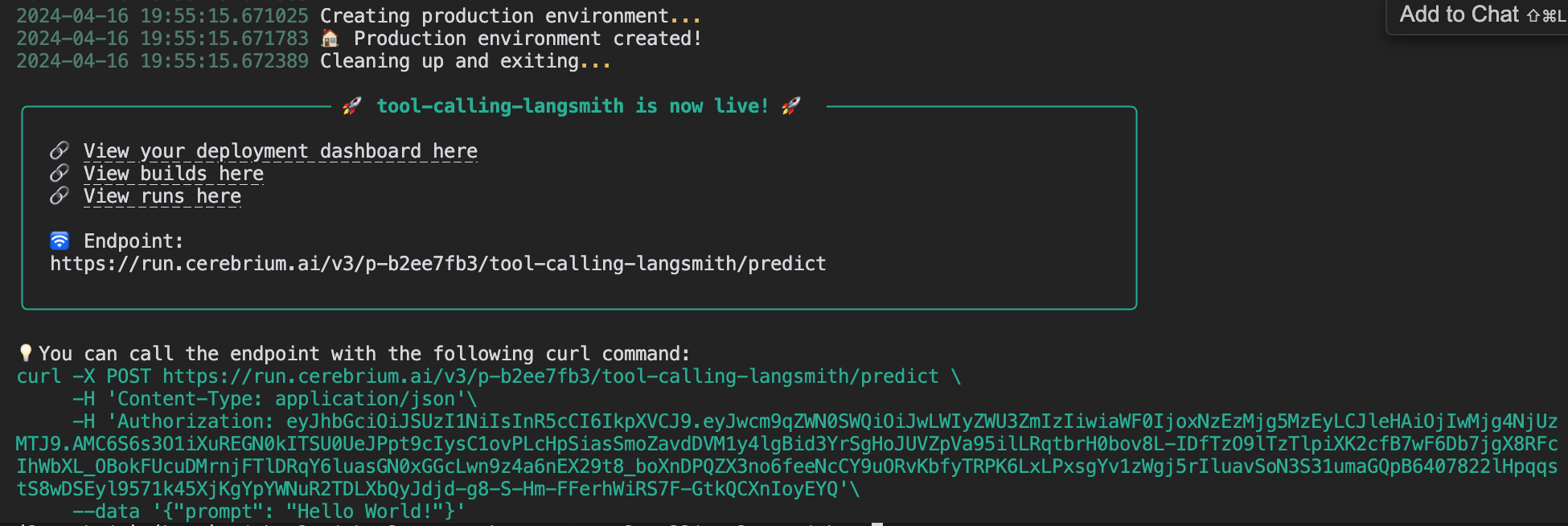
Deploy to Cerebrium by runningcerebrium deploy. Delete the name == "main" block first (used only for local testing).
After successful deployment:
Future Enhancements
Consider implementing:- Response streaming for seamless user experience
- Email integration for context-aware scheduling when Claire is tagged
- Voice capabilities for phone-based scheduling